Request signature
The request method opens templated transaction screens for signing transactions.
The method returns a SignResponse?.
Use it to sign transactions on any EVM chain.
You can white-label the screens to match your branding.
See the list of JSON-RPC methods.
The request method currently supports only signing methods.
The SDK retrieves chain configuration automatically from your project settings in the Embedded Wallets dashboard.
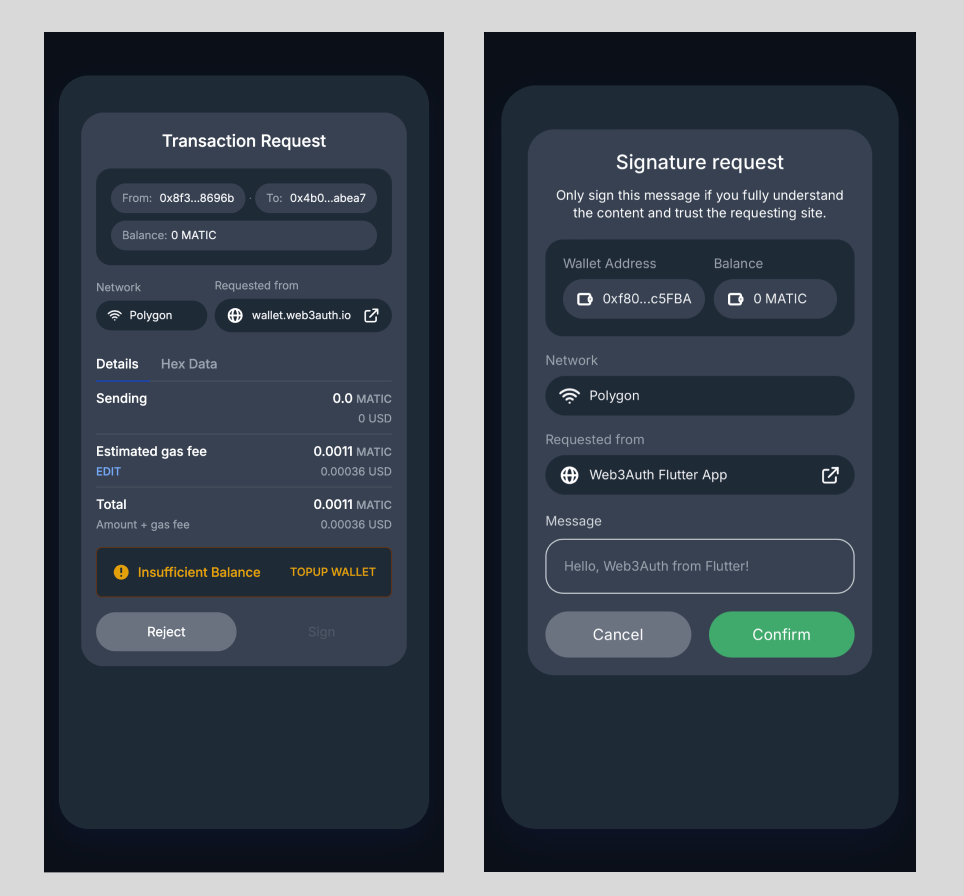
Parameters
| Parameter | Description |
|---|---|
method | JSON RPC method name in String. Currently, the request method only supports the signing methods. |
requestParams | Parameters for the corresponding method, in the correct sequence. See JSON-RPC methods for details. |
path? | Path in the wallet WebView. Defaults to "wallet/request". |
appState? | Optional app state string to be passed through the request flow. |
Usage
do {
    var params = [Any]()
    // Message to be signed
    params.append("Hello, Web3Auth from iOS!")
    // User's EOA address
    params.append(address)

    let response = try await web3Auth.request(
        method: "personal_sign",
        requestParams: params
    )

    if let response = response {
        if response.success {
            print(response.result!)
        } else {
            // Handle Error
            print(response.error!)
        }
    }
} catch {
    print(error.localizedDescription)
    // Handle error
}
SignResponse
| Name | Description |
|---|---|
success | Whether the request succeeded. |
result? | Holds the signature for the request when success is true. |
error? | Holds the error for the request when success is false. |